

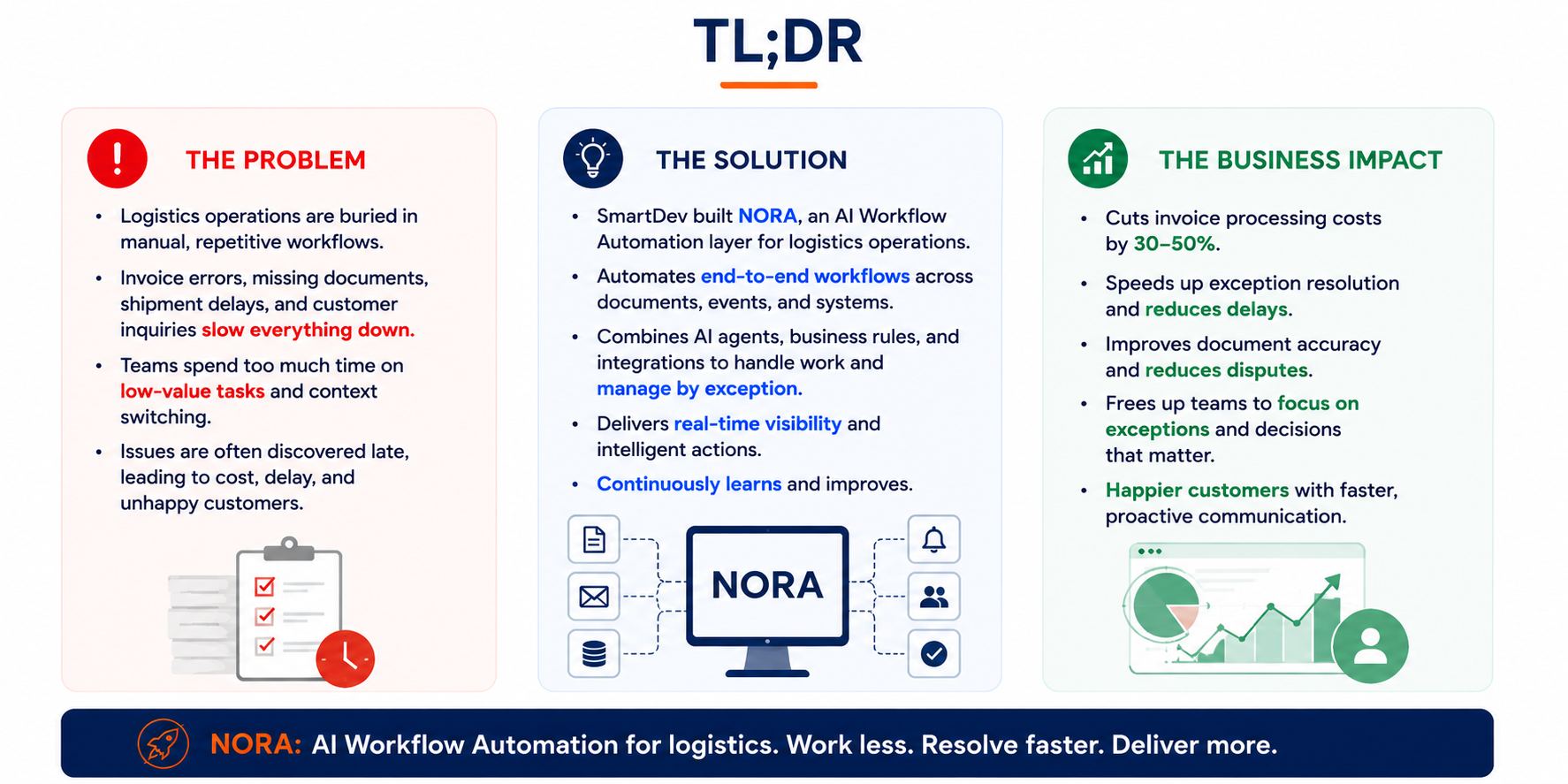
Introduction: Logistics Moves Fast, but Information Still Gets Stuck
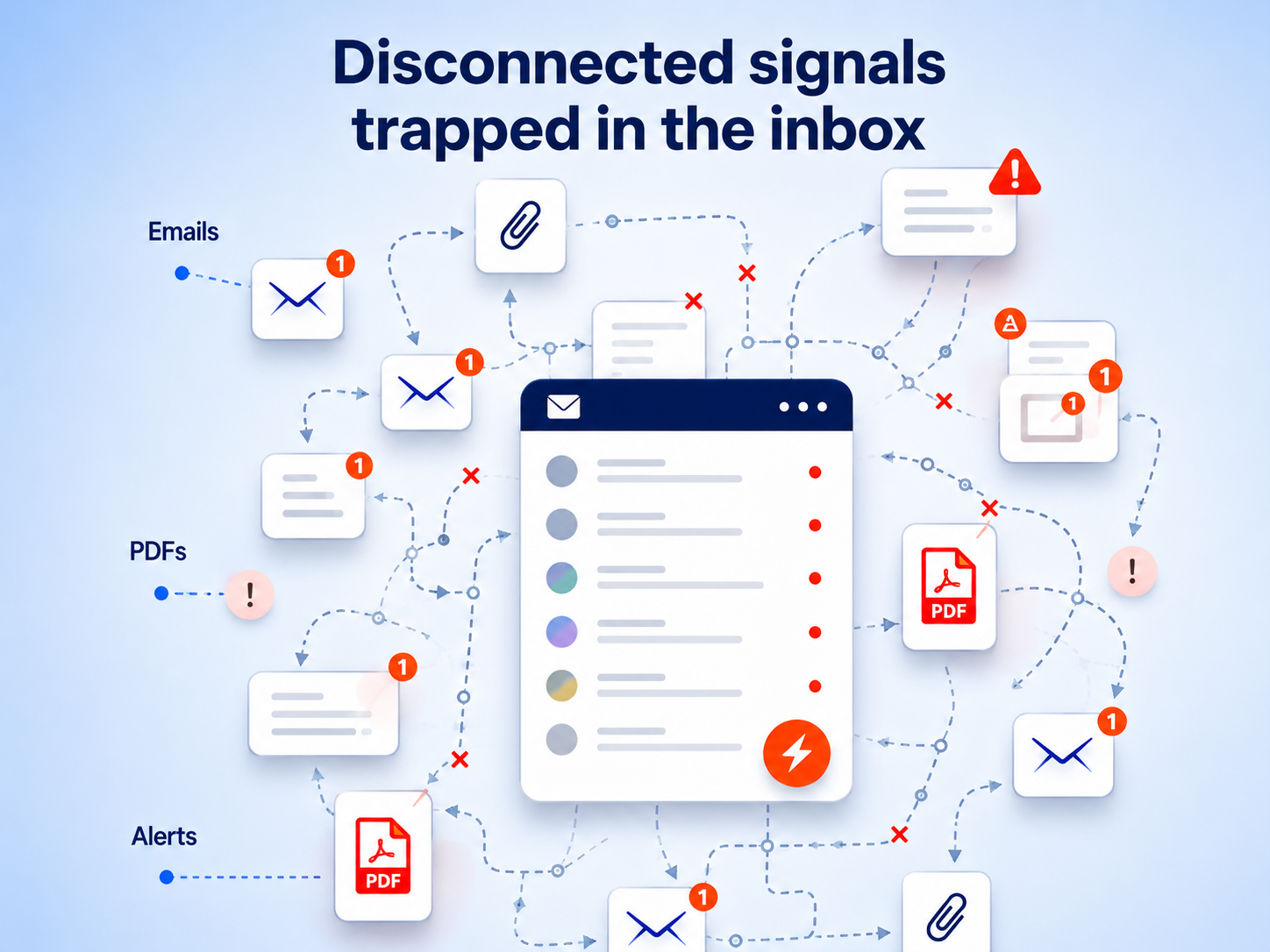
Inbox chaos is not simply an email management problem. It is a symptom of disconnected operations. Logistics involves carriers, warehouses, suppliers, customers, customs brokers, finance teams, and internal operations teams. In this blog post, you will explore how workflow automation turns emails, documents, and alerts into action
Each stakeholder may use different systems, file formats, timelines, and communication habits. When those systems do not connect cleanly, email becomes the fallback infrastructure. It becomes the place where shipment exceptions, customer updates, invoices, proof of delivery files, and approval requests pile up. (Sage)
This is why many logistics companies can have a transportation management system, a warehouse management system, an ERP, and a CRM, yet still depend on staff to manually connect the dots. Someone reads a carrier email, checks a shipment record, looks for an attachment, messages finance, updates a spreadsheet, and then informs the customer. The inbox becomes the shadow operating system of logistics because formal systems fail to capture enough context or trigger the right next step (Agistix)
The deeper issue is handoff friction. Every time information moves from email to spreadsheet, from spreadsheet to ERP, from ERP to customer service, or from customer service back to operations, there is a chance for delay, error, or lost ownership. This matters because logistics problems become more expensive when they are discovered late. A missed pickup, missing document, incorrect freight charge, or long dwell time is not just an administrative issue. It can become a customer experience issue, a cost leakage issue, or a compliance issue.
For teams working on AI use cases in operations, the starting point should not be “How do we automate email?” but “Which operational decisions are being delayed because the signal is trapped in email?” That shift changes the whole conversation. Automation is no longer a productivity patch. It becomes an operating layer for reducing business latency.
What Is Logistics Workflow Automation?
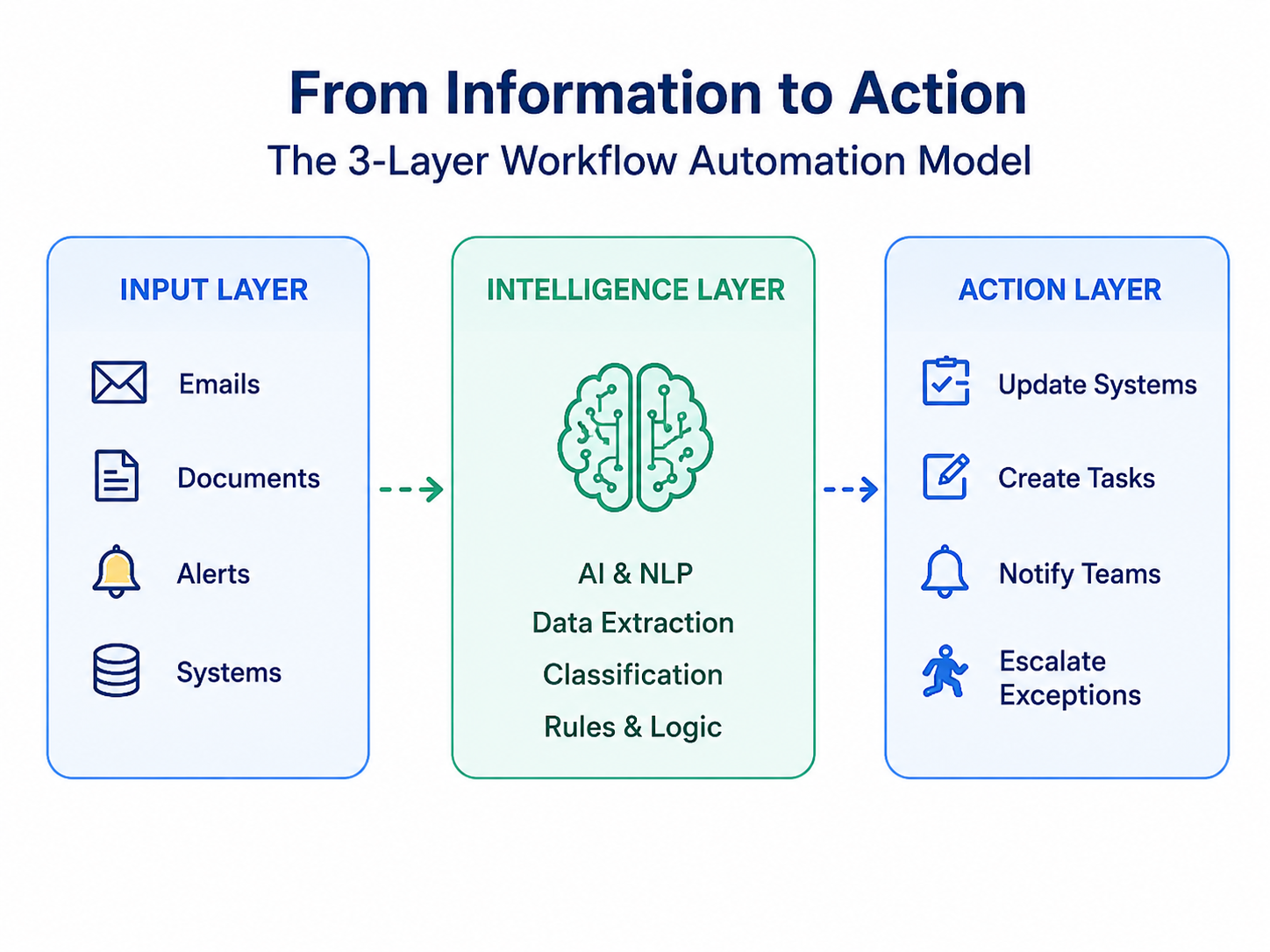
Logistics workflow automation is the use of AI, rule-based logic, system integrations, and workflow orchestration to turn operational inputs into structured actions. It reads incoming signals, understands their business context, routes them to the right process, and updates the right systems. In practical terms, it helps logistics teams move from manual coordination to automated execution.
A logistics workflow automation system can read incoming emails and attachments, extract key data from invoices or shipping documents, classify the request type, match information against shipment records or rate cards, trigger approvals, notify the right owner, update ERP or TMS records, and maintain an audit trail. It does not need to replace existing systems. The stronger model is to connect those systems through an intelligent workflow layer, especially when the current environment already includes TMS, WMS, ERP, CRM, ticketing tools, and shared inboxes. (McKinsey on gen AI in supply chains)
This is also why logistics workflow automation should be distinguished from simple RPA. RPA is useful when processes are stable and rules are clear. However, logistics workflows often involve unstructured emails, non-standard PDFs, changing exceptions, and context-dependent decisions. AI-powered workflow automation adds the ability to interpret natural language, extract data from inconsistent formats, summarize history, detect anomalies, and recommend next steps. SmartDev has explored this broader shift in its guide on AI workflow automation and its practical business guide on choosing the right workflow automation approach.
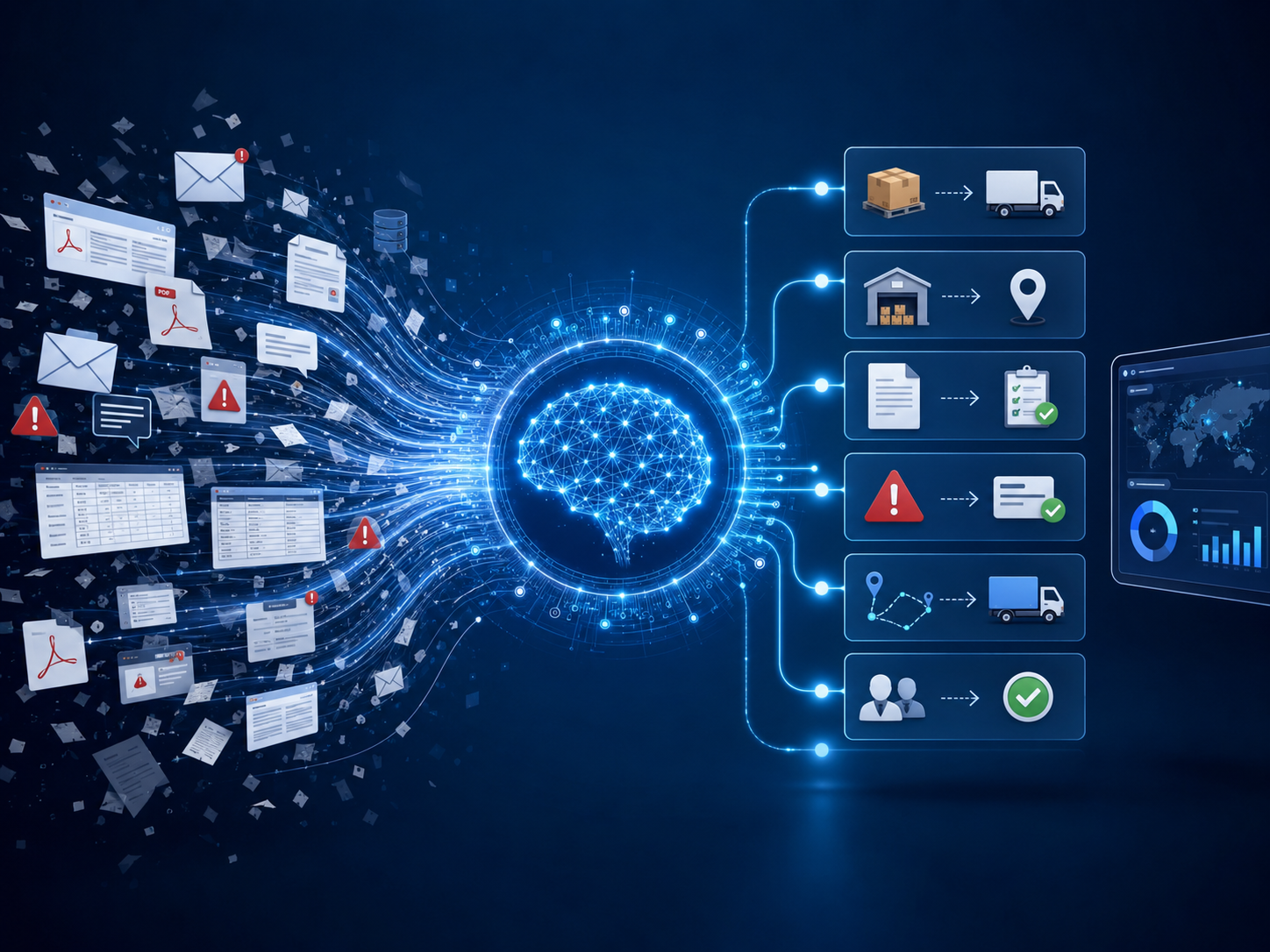
The best way to understand the concept is through three layers. First is the input layer: emails, PDFs, spreadsheets, alerts, portals, ERP, TMS, WMS, CRM, and ticketing systems. Second is the intelligence layer: OCR, natural language processing, AI classification, rule engines, anomaly detection, and decision logic. Third is the action layer: system updates, task creation, approval routing, escalation, customer notifications, reporting, and audit logging. (Appian)
Key Logistics Workflows to Automate First
The smartest implementation path is not to automate everything at once. Logistics teams should start with workflows that have high volume, clear business pain, repeatable inputs, measurable impact, and enough structure to control risk. In most logistics organizations, the strongest early candidates are freight invoice processing, shipment exception management, customer ETA updates, document collection, claims handling, and daily operations reporting.
Freight Invoice Processing
Freight invoice processing is one of the clearest use cases because it sits directly at the intersection of cost control, document processing, and operational accuracy. Invoices often arrive through email with different layouts, line items, carrier names, accessorial charges, shipment IDs, currencies, and tax details. Manual review requires teams to extract data, compare it against shipment records or rate cards, check for discrepancies, route approval, and update finance systems.
With automation, the invoice can be received, classified, extracted, matched, flagged, and routed with far less manual effort. The workflow can detect whether the carrier charge aligns with the agreed rate card, whether the shipment ID exists, whether the billed accessorial fees are justified, and whether the invoice should move to approval or exception handling. This use case connects directly with SmartDev’s work on AI automation for document and data processing and its logistics-specific article on manual invoice processing in logistics.
Shipment Exception Management
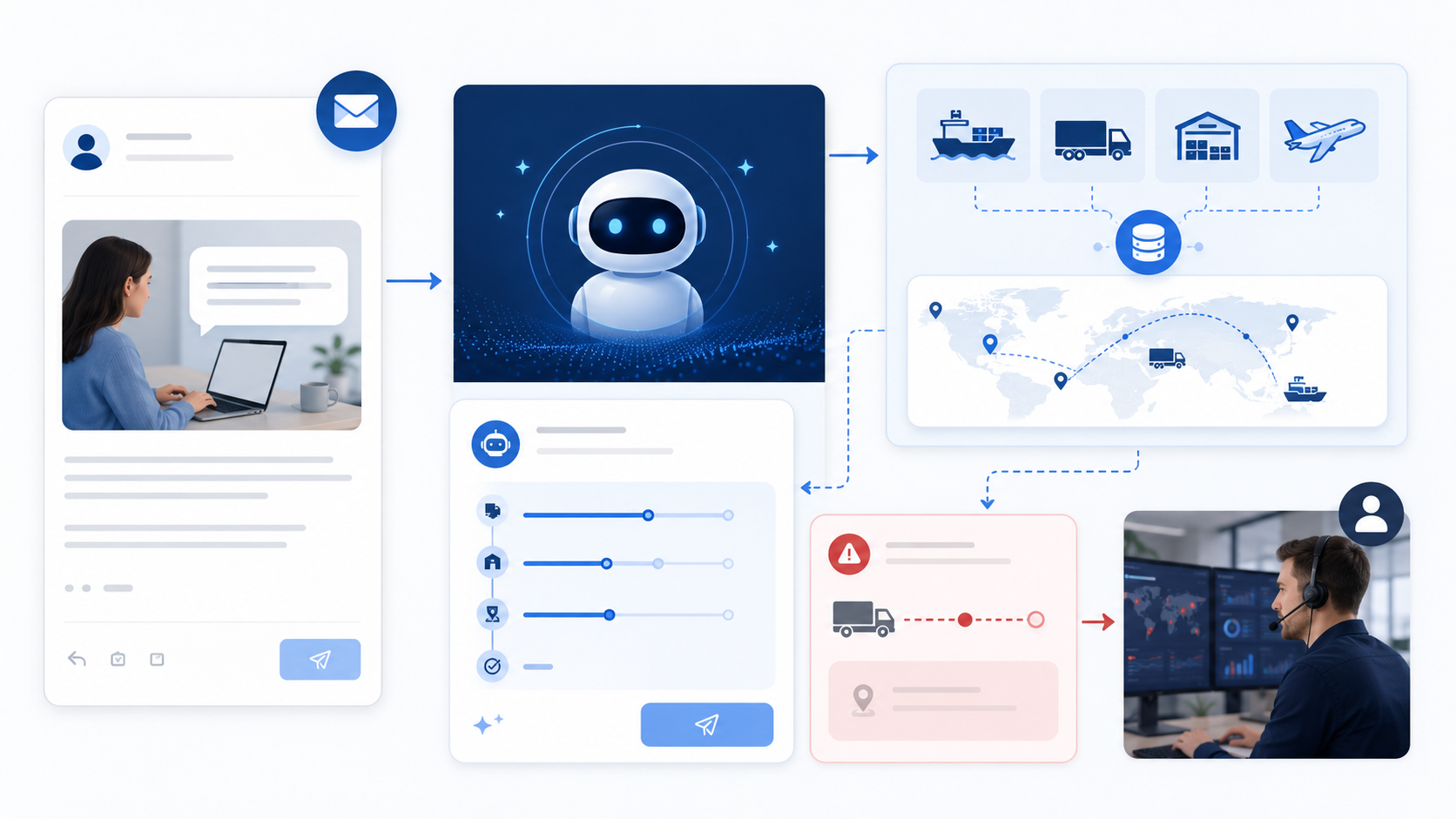
Exception handling is where logistics operations are won or lost. Routine shipments can often follow a predictable flow. The real pressure comes from missed pickups, delayed deliveries, damaged goods, missing scans, long dwell time, customs holds, and failed delivery attempts. Without automation, these exceptions are often discovered through alerts, emails, customer complaints, or manual dashboard checks.
A workflow automation layer can classify each exception by severity, SLA risk, customer value, and required action. It can create a case, assign ownership, notify operations, draft a customer update, and escalate when the impact is high. This is where visibility becomes operationally useful. Maersk emphasizes that modern logistics visibility depends on tracking shipments across carriers and transport modes, then prioritizing only the exceptions that require action. In the same direction, AI can strengthen transportation and logistics operations by optimizing routes, improving fleet planning, monitoring shipment status in real time, predicting disruptions, and automating customer updates when delays or exceptions occur.
Customer ETA and Shipment Status Updates
Customer ETA requests are deceptively expensive. A single “Where is my shipment?” email may require checking tracking data, reviewing exception notes, asking operations for context, and drafting a response. Multiply that across hundreds or thousands of shipments, and status communication becomes a constant drain on customer service and operations teams.
Automation can identify the intent of the email, retrieve the latest tracking status, check whether exceptions exist, generate a response, and escalate only when the customer needs human attention. This is not just a customer service automation play. It reduces internal noise and protects operations teams from repetitive follow-ups. The same principle applies across business operations, payments, and banking: AI is most effective when it handles repetitive, predictable requests with consistency, while routing complex, sensitive, or high-risk cases to human teams. This creates faster response times without removing the human judgment needed for exceptions. (Learn more about AI use cases in business,)
Document Collection and Validation
Documents are still central to logistics. Bills of lading, proof of delivery, packing lists, customs forms, commercial invoices, delivery notes, and claims files all carry operational weight. When these documents are missing or inaccurate, shipments slow down, claims take longer, and finance teams lose confidence in the data.
Workflow automation can check whether required documents have been received, validate whether they match the correct shipment, detect missing fields, request updates from the right partner, and attach validated files to the correct system record. This is especially relevant for proof of delivery automation, where manual document handling can delay billing, customer confirmation, and dispute resolution. The insight is simple: documents are where integration gaps go to hide. When partners cannot exchange data through clean APIs, PDF and email become the substitute. Automation turns that substitute into a usable workflow.
Claims and Damage Resolution
Claims handling is another workflow where automation creates value by preparing the case rather than pretending to make every decision. When goods are damaged, delayed, or disputed, teams need shipment history, proof of delivery, invoices, photos, carrier records, email threads, and customer notes. Manually assembling this evidence is slow and inconsistent.
An automated workflow can gather the relevant documents, summarize the shipment timeline, identify missing evidence, route the case to the right owner, and generate a structured claim file. Human judgment remains essential, but the human no longer starts from a scattered inbox. This mirrors the broader promise of AI in document management: the value is not just faster file handling, but better decision preparation. (Deloitte AI in supply chain management)
Daily Operations Reporting
Daily reporting is often treated as a harmless admin task, but it can consume valuable time and still miss the issues that matter. Operations managers need to know which shipments are delayed, which invoices are mismatched, which documents are missing, which customers are at risk, and which exceptions remain unresolved. When that information is manually compiled, it is often already stale by the time it is shared.
Automation can generate daily summaries from live operational data and highlight only what requires attention. Instead of producing more dashboards, it creates decision-ready summaries. This aligns with the direction of AI in ERP and AI in distribution, where AI is increasingly used to connect operational data with planning, fulfillment, reporting, and management decisions.
From Manual Coordination to Intelligent Orchestration
Traditional logistics workflows often follow a familiar pattern: email arrives, a human reads it, interprets it, searches the system, forwards the message, follows up with another team, updates a spreadsheet, and waits for a response. This is not coordination. It is human middleware. It works only because experienced staff remember the context, know who to contact, and understand which problems are urgent.
Automated logistics workflows should look different: signal arrives, AI understands it, workflow logic routes it, systems update, exceptions escalate, and humans handle only what requires judgment. This is the shift from manual coordination to intelligent orchestration. The goal is not to remove people from logistics. The goal is to remove people from being the glue between disconnected systems. (Learn more about AI Workflow Automation Business Guide)
This distinction matters because many logistics automation conversations focus too heavily on replacing work. A better framing is protecting expert judgment. Skilled logistics professionals should spend their time resolving exceptions, negotiating with carriers, managing customer expectations, and improving the network. They should not spend most of their day finding attachments, copying shipment IDs, or forwarding alerts. Gartner’s 2026 warehouse prediction points to a future where automation and AI orchestration play a larger role in physical operations, but the same logic applies to information workflows: automate the routine path, elevate the exception path.
Where AI Adds Value Beyond Traditional Automation
Traditional automation is powerful when rules are clear and inputs are predictable. Logistics rarely stays that clean. Emails come in different wording. Invoices use different formats. Customers describe problems in natural language. Shipment exceptions change by carrier, route, customer priority, and SLA. This is where AI adds value beyond rule-based automation.
AI can classify email intent, extract data from non-standard documents, summarize long email threads, detect anomalies, prioritize exceptions, recommend next actions, and draft customer updates. It can also help teams search SOPs, policies, and historical cases when an unusual issue appears. McKinsey has argued that generative AI can improve efficiency, decision-making, and performance in supply chains, but only when companies also invest in the operating model and capabilities needed to use it well. That warning is important. AI is not magic. It becomes valuable when it is embedded into a workflow that has clear data, clear ownership, and clear escalation.
For logistics teams, the strongest AI opportunities are not always the flashiest. A reliable invoice extraction workflow, a clean exception escalation process, or a customer ETA automation flow may create more near-term value than a broad AI transformation program. SmartDev’s AI Automation: Document & Data Processing page reflects this practical direction: start with a high-volume operational pain point, automate it properly, and improve over time.
Why Logistics Automation Fails When Processes Are Not Ready
Automation will not fix a broken process. If ownership is unclear, data is incomplete, approval rules are undefined, and system responsibilities are messy, automation can simply make chaos move faster. This is why process readiness is the uncomfortable but necessary step before implementation.
Before automating a logistics workflow, leaders should ask several practical questions. Which workflow creates the most manual workload or delay? Is the process repeatable enough to automate? What data is needed to trigger the workflow? Which systems need to be updated? Who owns the exception? When should the workflow escalate to a human? What level of AI accuracy is acceptable? What audit trail must be stored? How will success be measured?
The best implementation teams do not begin by asking how much AI they can deploy. They begin by identifying the workflow where delay, error, or manual coordination creates measurable business pain. This is also why AI workflow automation for business readiness should be treated as an operating model decision, not only a technology purchase. Bad automation makes bad processes faster. Good automation makes good processes scalable.
How to StartWithLogistics Workflow Automation
The safest path is to start narrow, prove value, and expand. First, map the inbox. Identify the most common operational emails, documents, alerts, and requests. These may include invoice emails, ETA requests, carrier delay updates, missing document requests, proof of delivery submissions, warehouse alerts, and claims. Second, rank workflows by pain and business impact. Look at volume, manual effort, cost impact, SLA risk, customer impact, error rate, and repeatability.
Third, start with one high-value workflow. Freight invoice matching, shipment exception triage, ETA response automation, missing document follow-up, and daily exception reporting are often strong candidates. Fourth, connect the workflow to existing systems. The aim is not to replace every platform. It is to connect the platforms that already matter: TMS, WMS, ERP, CRM, ticketing systems, shared inboxes, and reporting tools. Finally, monitor and improve. Track accuracy, processing time, escalation rate, SLA impact, user adoption, cost savings, and customer response time. (Read more: How to automate 200 invoices per day)
This incremental approach is especially important for companies that already have strong operational systems but still suffer from manual handoffs. A workflow automation layer can sit between those systems and help them work together. For companies exploring AI in finance and accounting or logistics finance operations, invoice workflows are often the best starting point because the business case is visible and measurable. For companies focused on fulfillment, AI in mobility and shipment exception workflows may be more urgent.
From Workflow Automation to AI-Powered Logistics Operations With NORA

Logistics teams do not need another dashboard that simply shows more problems. They need workflows that turn operational signals into coordinated action. Emails, documents, and alerts will not disappear, and they should not have to. But they should no longer be where important work gets stuck. With the right automation layer, each message, file, and alert can become a trigger for action: updating systems, routing approvals, escalating exceptions, notifying customers, or preparing reports.
This is where NORA by SmartDev can be positioned. NORA acts as an AI workflow automation layer that connects inboxes, documents, alerts, business systems, and human decision-makers. Instead of working as a standalone chatbot, NORA helps logistics teams orchestrate end-to-end workflows across fragmented tools and communication channels. It can support invoice-to-approval workflows, delay alert-to-escalation workflows, missing document workflows, customer ETA workflows, and daily operations summaries.
For example, an invoice-to-approval workflow can receive an email invoice, extract data, match the shipment, flag mismatches, route approval, and update ERP. A delay alert-to-escalation workflow can classify severity, notify operations, draft a customer update, and log the case. A missing document workflow can detect the absence of a proof of delivery or customs document, request the file, follow up automatically, and update the shipment record. These are not isolated automation tricks. They are building blocks of a more responsive logistics operating model.
Workflow automation is not about replacing logistics teams. It is about giving them a faster operating layer, one that turns fragmented information into timely, traceable, and coordinated action. In a market where speed, visibility, and resilience increasingly define competitiveness, the winners will not be the companies with the most dashboards. They will be the companies whose workflows act before problems become expensive.
Learn more about NORA in logistics and explore how SmartDev can help turn your fragmented logistics signals into automated, end-to-end workflows.