
TL;DR
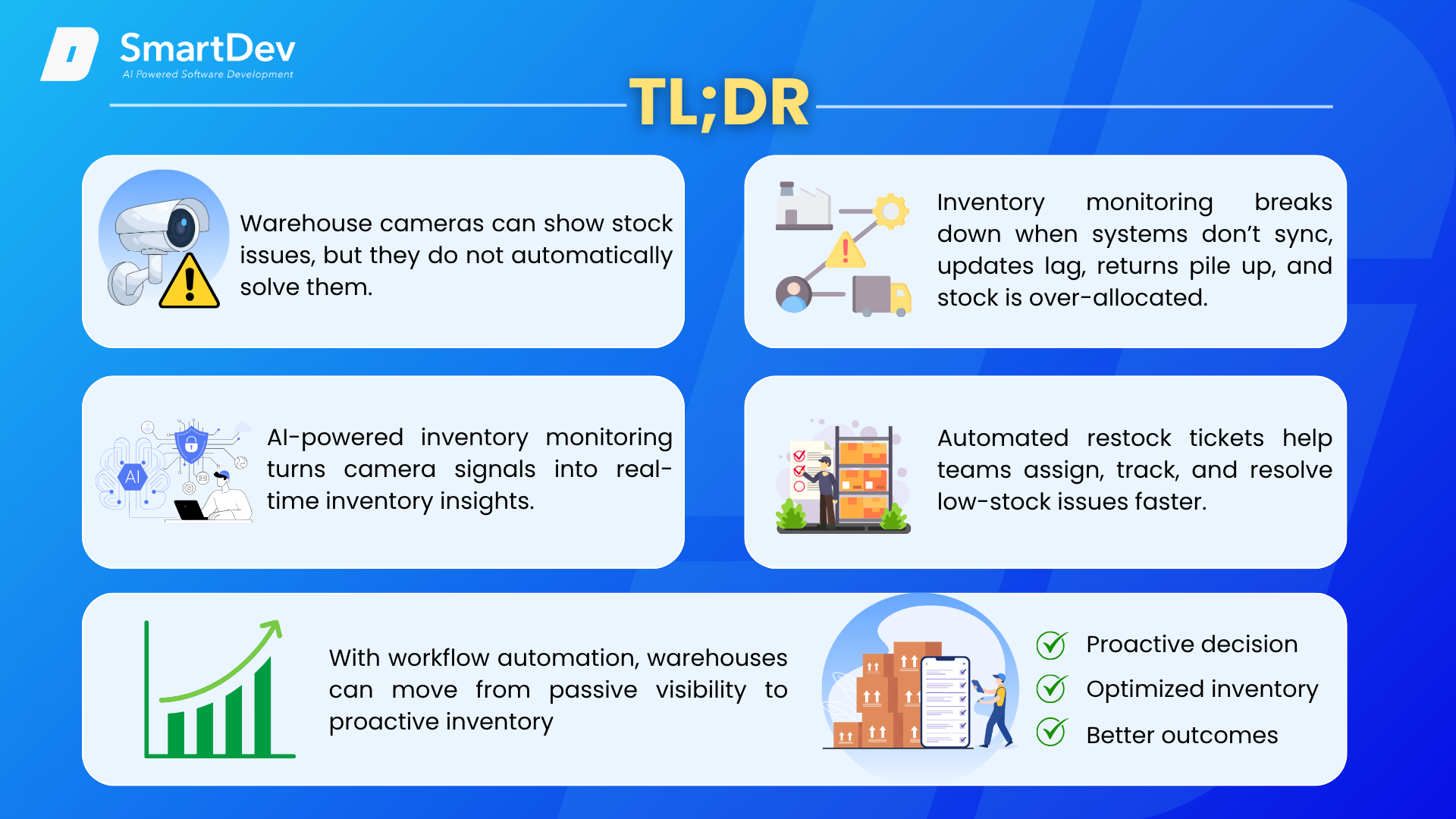
- Warehouse cameras can show stock issues, but they do not automatically solve them.
- Inventory monitoring breaks down when systems don’t sync, updates lag, returns pile up, and stock is over-allocated.
- AI-powered inventory monitoring turns camera signals into real-time inventory insights.
- Automated restock tickets help teams assign, track, and resolve low-stock issues faster.
- With workflow automation, warehouses can move from passive visibility to proactive inventory
Introduction
Warehouse cameras can see an empty shelf, but can they trigger the right action before fulfillment is affected? In many warehouses, the answer is still no. Inventory monitoring often breaks down not because businesses lack tools, but because visibility, data, and response are still disconnected.
AI is changing that fast. According to Supply Chain Digital, citing Deloitte, around 60% of executives saw improved demand forecasting and stock management when using AI in 2024, while 70% planned to adopt such tools by the end of 2025. In inventory management, AI helps ensure the right stock is in the right place, at the right time – reducing waste, controlling costs, and keeping operations running smoothly. By connecting warehouse cameras, computer vision, inventory rules, and workflow automation, businesses can turn visual stock signals into automated restock tickets and move from passive monitoring to smarter inventory optimization.
Why does inventory monitor still break down in the warehouse?
Even with WMS, ERP systems, scanners, and cameras, warehouse inventory data can still fall out of sync with real stock movement. The issue is not a lack of tools, but the gap between what happens on the floor and how quickly systems capture, update, and act on that information. To be specific, inventory monitoring often breaks down for the following reasons:
1. Disconnected systems create conflicting stock data
Inventory monitoring often breaks down because warehouse data does not always reflect what is happening on the floor. Many companies already use ERP systems, warehouse management systems, eCommerce platforms, barcode scanners, and cameras. However, when these tools do not sync in real time, inventory numbers quickly drift apart. A product may appear available in one system, already allocated in another, and physically missing from the shelf.
2. Manual updates introduce errors and delays
Manual updates make the problem worse. When warehouse teams still rely on spreadsheets, rekeyed transactions, or delayed stock adjustments, every manual touchpoint creates room for errors. A missed update, duplicated entry, or late inventory adjustment can lead to inaccurate stock counts, especially in fast-moving warehouses where goods are constantly picked, packed, transferred, returned, or replenished.
3. 3PL integration gaps slow down inventory visibility
Third-party logistics integrations can also create serious blind spots. If a company works with a 3PL provider but does not have a direct EDI or API connection, warehouse data may lag behind actual inventory movement. By the time stock updates reach the business, the information may already be outdated. This delay affects available-to-sell counts, replenishment planning, and order fulfillment accuracy.
4. Returns and adjustments distort available stock
Returns are another common source of inventory mismatch. Returned items may sit unprocessed for hours or days before being inspected, restocked, or marked as unavailable. During that gap, systems may show inventory that cannot actually be sold, or fail to reflect stock that has already returned to the warehouse. Over time, these small delays create larger distortions in inventory visibility.
5. Over-allocation leads to backorders and cancellations
Inventory problems become more costly when the same stock is promised across multiple sales channels. If inventory is over-allocated, companies risk backorders, cancellations, delayed shipments, and frustrated customers. This is especially risky for businesses selling through eCommerce platforms, marketplaces, retail partners, and wholesale channels at the same time.
Real Problem Is Not Visibility, But Workflow
For suppliers working with major retailers, inaccurate inventory data can also trigger compliance problems. Programs such as Walmart’s OTIF requirements, Macy’s ASN expectations, Target’s packaging and labeling standards, and Nordstrom’s supplier reporting requirements all depend on accurate inventory and shipment data. When warehouse visibility breaks down, the impact is not only operational. It can also lead to fines, penalties, and damaged retailer relationships.
This is why inventory monitoring is not just a visibility problem. It is a workflow problem. Warehouses do not only need to know that stock levels are wrong. They need a system that can detect the issue, validate it, trigger the right restock or correction task, and make sure the action is completed before the problem affects fulfillment.
What is AI-powered inventory management?
1. Concept of AI-powered inventory management
AI-powered inventory management is the practice of using artificial intelligence (AI) technologies to optimize and automate the inventory management process. Instead of relying only on manual checks, barcode scans, spreadsheets, or delayed system updates, AI can process data from WMS, ERP systems, eCommerce platforms, scanners, warehouse cameras, and sales history to create a more accurate view of inventory.
A typical inventory management process includes receiving goods, recording stock, storing items, tracking inventory levels, picking and packing orders, handling returns, and replenishing stock. In many warehouses, these steps still depend heavily on manual input, which can cause delays and errors.
AI is adopted into this workflow by adding detection, prediction, and automation. Computer vision can detect low stock, empty shelves, or misplaced goods from warehouse cameras. Machine learning can predict demand and replenishment needs. Workflow automation can then turn these insights into actions, such as creating restock tickets, notifying teams, or updating systems.
2. Core component of inventory management
Inventory optimization is a key part of effective inventory management. It helps businesses keep the right amount of stock available to meet customer demand while reducing storage costs and improving profitability. AI strengthens this process by improving operational efficiency, demand forecasting, and decision-making.
By using AI in inventory management, businesses can achieve more accurate stock control, lower operating costs, and better customer satisfaction. These benefits make AI an increasingly important element of modern supply chain management.
From warehouse cameras to automated restock tickets: How does the workflow work?
Warehouse cameras are often used as passive monitoring tools. They help teams see what is happening on the warehouse floor, but they do not automatically create action. AI-powered workflow automation changes this by turning camera inputs into automated restock tickets, allowing warehouses to move from “someone needs to check this” to “the system has already assigned the task.”
1. What are automated restock tickets?
Automated restock tickets are digital tasks created when the system detects that a product, shelf, bin, or picking location needs replenishment. Instead of waiting for staff to manually notice low stock, check the system, and report the issue, an automated ticket is generated based on real-time inventory signals.
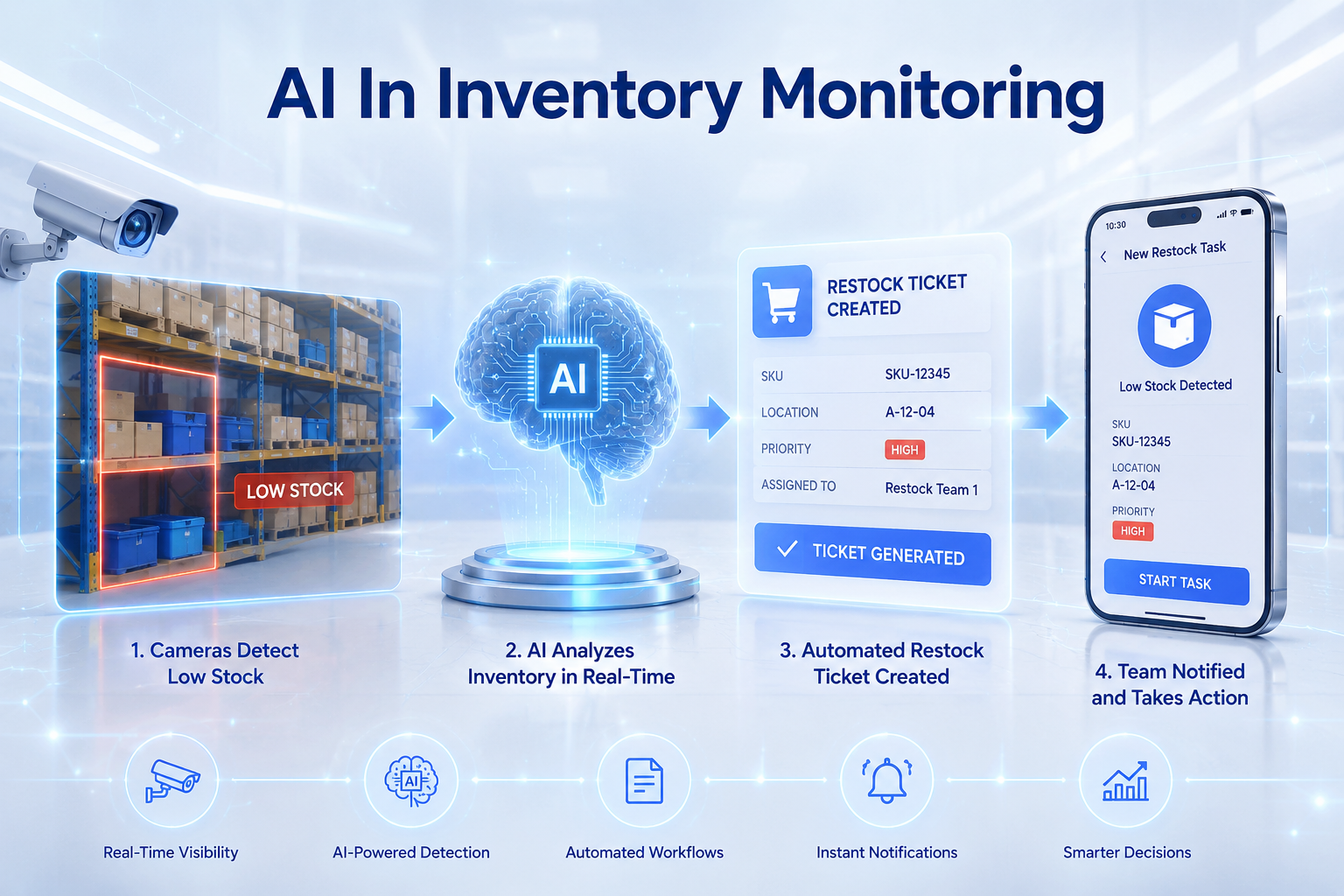
In the context of warehouse cameras, the process works like this: cameras capture shelf or bin conditions, AI analyzes the visual data, and workflow automation creates a restock task when stock falls below a defined threshold. The ticket can then be assigned to warehouse staff, supervisors, or even connected systems such as a WMS or task management platform.
An automated restock ticket usually includes the key details needed for fast action, such as:
- SKU or item name
- Shelf, bin, aisle, or warehouse location
- Detected issue, such as low stock, empty shelf, or misplaced item
- Priority level based on urgency or demand
- Visual evidence from the camera
- Required replenishment quantity
- Source location, such as reserve storage or another picking zone
- Assigned team or staff member
- Timestamp and task status
- Confirmation once the item has been replenished
This makes the task clear, traceable, and easier to manage than informal messages, manual notes, or delayed reports.
2. How the workflow works and example: NORA in a picking zone
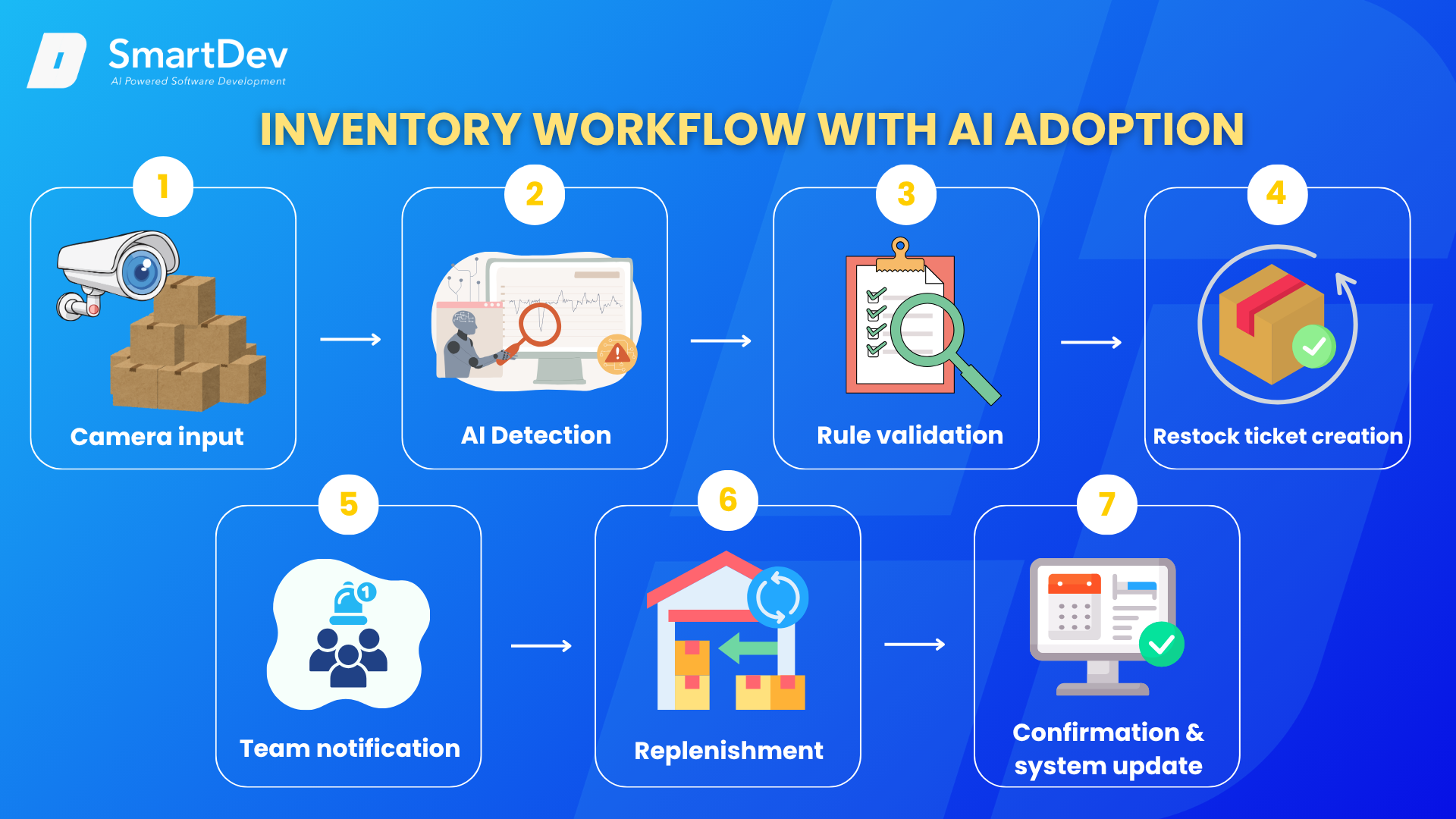
The workflow starts when warehouse cameras capture visual signals from shelves, bins, or picking areas. AI analyzes these signals to detect inventory issues such as low stock, empty spaces, or misplaced items. Once a potential issue is found, the system checks it against predefined inventory rules and triggers the next action if replenishment is needed. After the task is completed, the warehouse team confirms the replenishment through a scan, system update, or visual confirmation. The ticket is then closed, and the inventory record is updated.
A simplified workflow looks like this:
Camera input → AI detection → rule validation → restock ticket creation → team notification → replenishment → confirmation and system update
Imagine a fast-moving SKU in a warehouse picking zone. A camera detects that the shelf level has dropped below the required threshold. Instead of waiting for a worker to notice the issue during a manual check, the AI system flags the low-stock condition immediately.
This is where NORA by SmartDev comes in as the workflow automation layer. NORA, an AI adoption accelerator, receives the camera-based inventory signal, checks it against predefined replenishment rules, and identifies whether a restock action is needed. If the stock level is below the required threshold, NORA automatically creates a restock ticket with the SKU name, shelf location, required quantity, priority level, timestamp, and visual evidence.
The ticket is then assigned to the warehouse team through the connected system. A staff member receives the task, moves stock from reserve storage to the picking zone, and confirms completion through a scan, system update, or visual confirmation.
Once the item is replenished, NORA closes the loop by updating the task status and logging the action for future reporting. Managers can then review how quickly the issue was detected, assigned, and resolved.
This turns warehouse cameras from passive monitoring tools into active triggers for warehouse execution.
Benefits of Automated Restock Tickets for Warehouse Operations
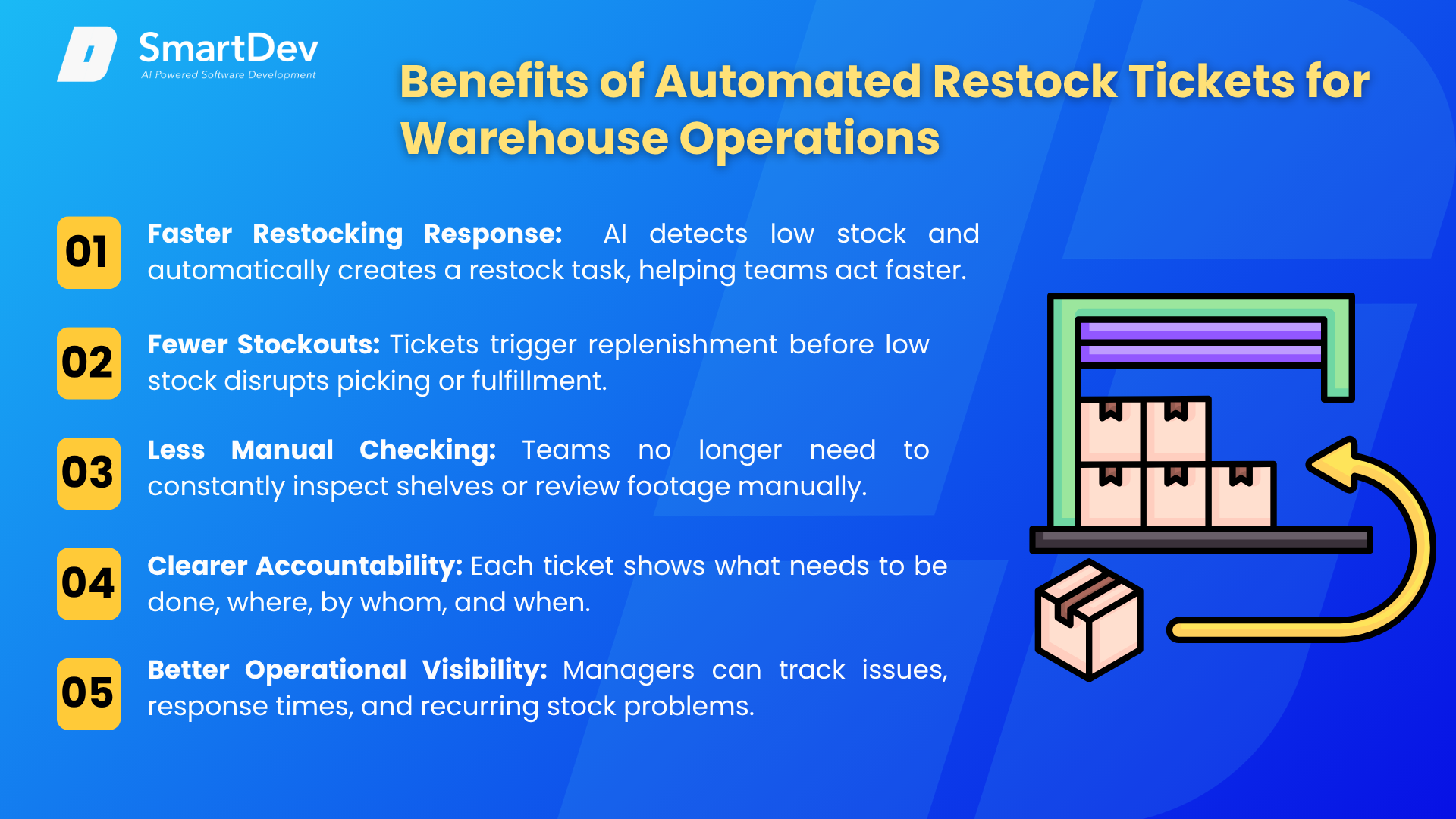
1. Faster Restocking Response
Warehouse cameras can show when a shelf, bin, or picking location is running low, but they still depend on someone noticing the issue. Automated restock tickets remove that delay. Once AI detects a low-stock condition, the system can immediately create a task, assign it to the right team, and send a notification. This helps warehouse staff respond faster before the issue affects picking or fulfillment.
2. Fewer Stockouts and Fulfillment Delays
With camera monitoring alone, stock problems may only be discovered after an order is delayed or a picker reaches an empty location. Automated restock tickets help prevent this by triggering replenishment as soon as stock falls below a defined threshold. This allows warehouses to maintain better product availability, especially for fast-moving SKUs and high-demand picking zones.
3. Less Manual Checking and Follow-Up
Traditional inventory monitoring often requires staff to walk the floor, check shelves, review camera footage, or manually report low-stock issues. Automated restock tickets reduce this repetitive work by turning visual inventory signals into assigned tasks. Instead of spending time searching for problems, warehouse teams can focus on resolving them.
4. Clearer Accountability
Cameras may record a stock issue, but they do not define who is responsible for fixing it. Automated restock tickets create clear ownership. Each ticket can include the SKU, location, priority level, assigned person or team, timestamp, and task status. This makes it easier to track who handled the issue, when it was resolved, and whether any follow-up is needed.
5. Better Operational Visibility
Automated restock tickets give managers more than footage or inventory snapshots. They create a record of detected issues, response times, replenishment actions, and recurring problem areas. Over time, this data helps warehouse leaders identify bottlenecks, improve replenishment rules, and optimize labor allocation across the operation.
Conclusion
AI-powered inventory monitoring is no longer just about seeing what happens inside the warehouse. It is about connecting real-time visual signals, inventory rules, and automated workflows so teams can act before low stock turns into fulfillment delays. With technologies such as computer vision, smart shelves, predictive analytics, and AI-driven workflow automation, warehouses can improve stock visibility, reduce manual work, and make replenishment faster and more reliable. This also supports broader goals such as smarter warehouse optimization and more sustainable operations through reduced waste and better resource planning.
For businesses starting their AI adoption journey, the best approach is not to automate everything at once. Start with a focused use case, such as automated inventory tracking or restock ticket creation, then build the right data foundation, integrate with existing WMS or ERP systems, and scale gradually after pilot testing. To explore more practical applications, read our guide on AI use cases in warehouse management or learn more about AI-powered inventory optimization. With the right workflow automation layer, warehouse cameras can move from passive monitoring tools to active triggers for smarter, faster inventory operations.
With our NORA, warehouse cameras can become active triggers for restocking workflows. Instead of only recording problems, they help create assigned, trackable actions that improve response speed, accountability, and inventory optimization. Ready to turn warehouse visibility into action?
Explore how SmartDev’s AI workflow automation can help your team transform inventory signals into automated restock workflows.