

TLDR
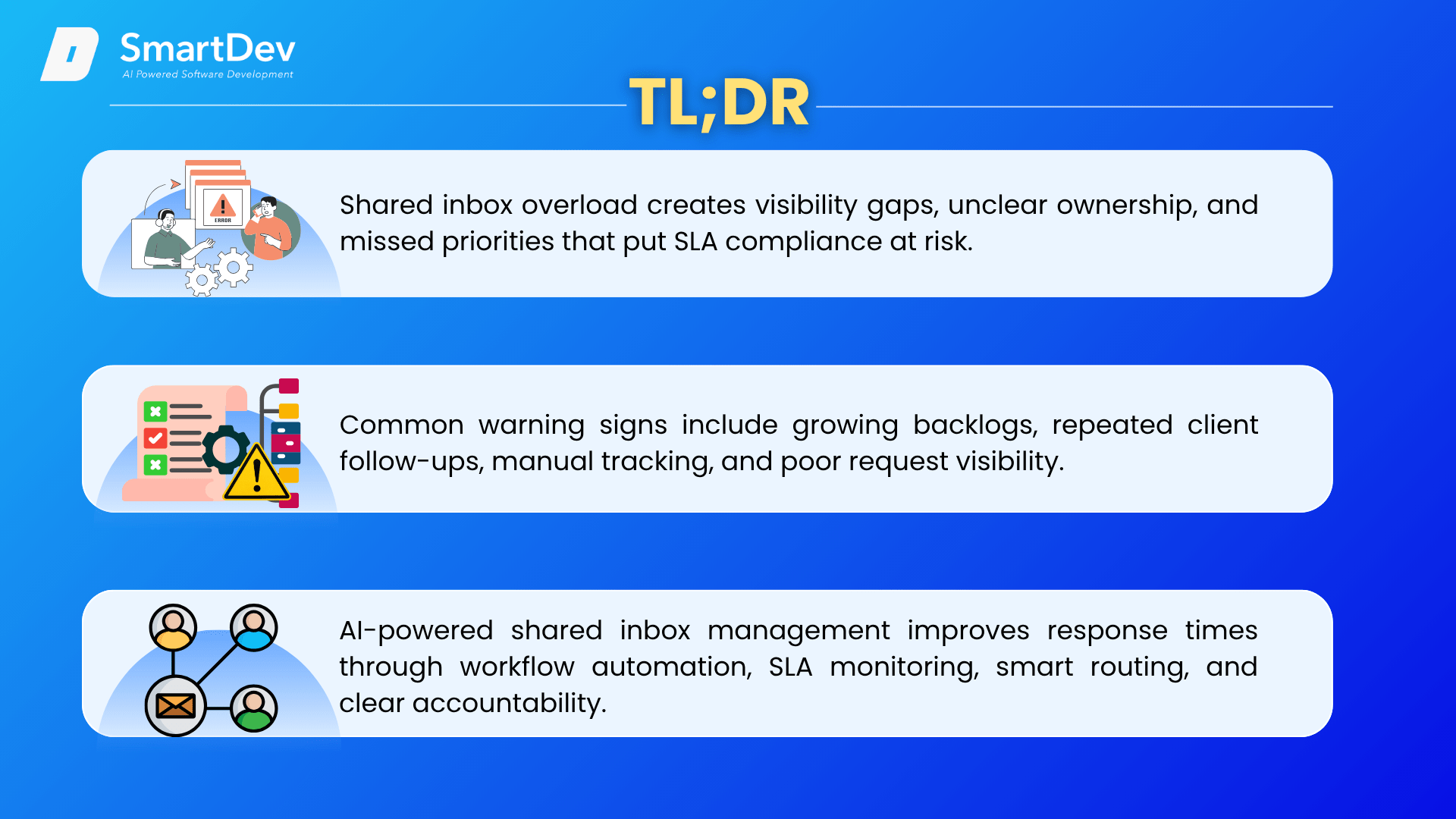
- Shared inbox overload creates visibility gaps, unclear ownership, and missed priorities that put SLA compliance at risk.
- Common warning signs include growing backlogs, repeated client follow-ups, manual tracking, and poor request visibility.
- AI-powered shared inbox management improves response times through workflow automation, SLA monitoring, smart routing, and clear accountability.
Introduction
For professional services firms, email remains a key channel for managing client requests, approvals, project updates, and escalations. In the context of AI in Professional Services, this reliance on email creates opportunities to improve service operations. However, as volume grows, shared inboxes like support@, service@, or projects@ can quickly become overloaded. Microsoft’s 2025 Work Trend Index found that the average employee receives 117 emails per day, while global email traffic exceeds 376 billion messages daily.
When too many requests flow into a shared inbox, ownership becomes unclear, urgent emails get buried, and managers lose visibility into response status. For teams working against Service Level Agreements (SLAs), this is more than an inbox issue. Delayed replies and missed requests can directly impact response times, resolution times, client satisfaction, and SLA compliance.
Traditional shared inboxes were built for communication, not service delivery. AI-powered tools and workflow automation help bridge that gap by categorizing emails, assigning ownership, prioritizing urgent requests, tracking SLA deadlines, and providing real-time visibility into request status.
Shared Inbox Overload: The Hidden Threat to Professional Services SLAs
1. What is Shared Inboxes?
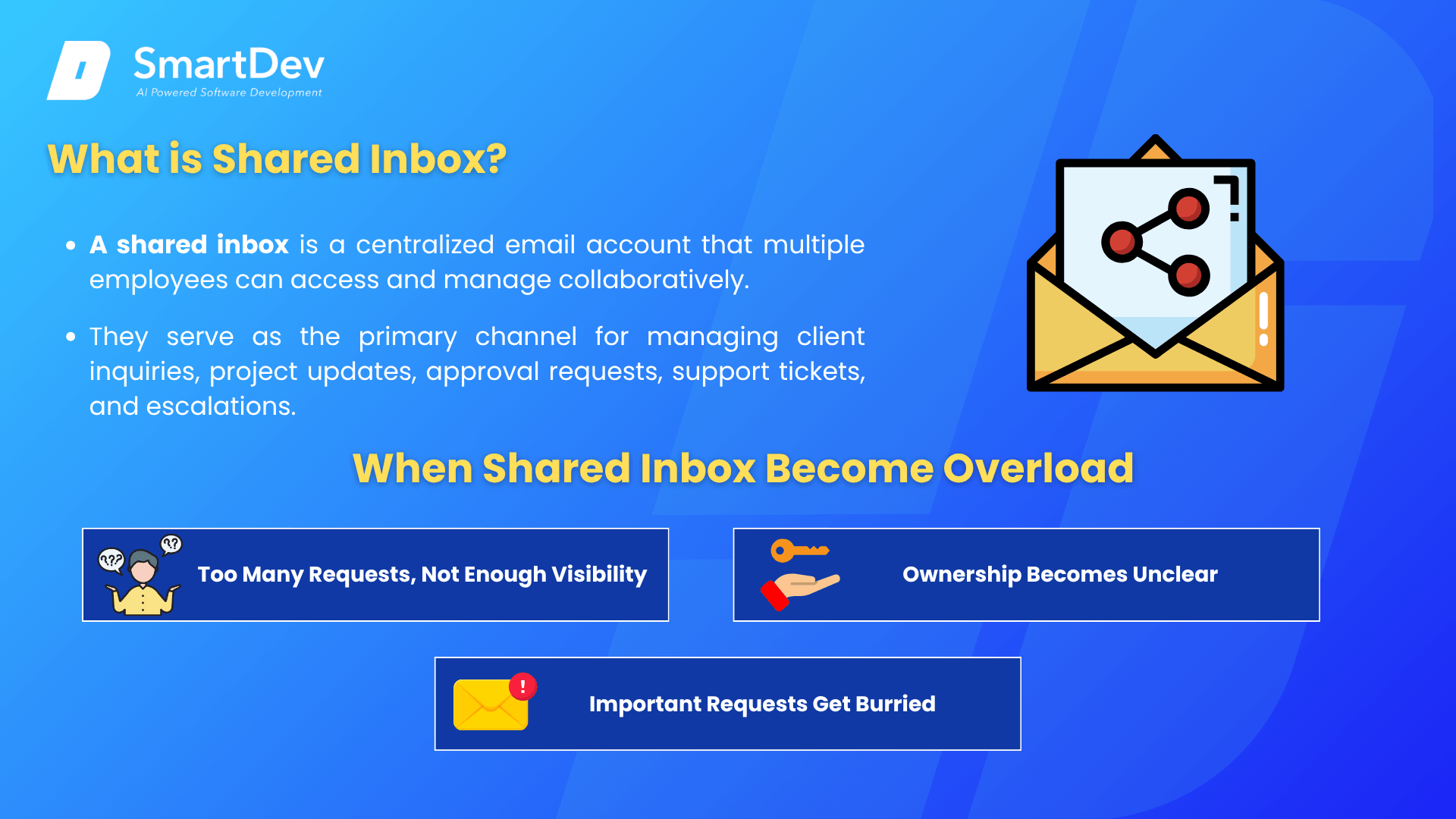
A shared inbox is a centralized email account that multiple employees can access and manage collaboratively. Instead of sending client communications to an individual employee, organizations typically use addresses such as support@, service@, projects@, or operations@ to ensure requests are received and handled by the appropriate team.
For professional services firms, shared inboxes play a critical role in daily operations. They serve as the primary channel for managing client inquiries, project updates, approval requests, support tickets, and escalations. By centralizing communications, shared inboxes help teams maintain continuity and ensure that client requests do not depend on a single individual being available.
2. When Shared Inbox Become Overload
As firms grow and communication volume increases, they generate more clients, projects, and service interactions, driving a higher volume of emails into shared inboxes every day.
Teams often start with shared inboxes as a simple collaboration tool, but growing email volumes can quickly turn them into a service delivery bottleneck. As requests, approvals, escalations, project updates, and internal discussions accumulate in the same inbox, employees spend more time sorting, forwarding, and tracking emails than resolving client issues. Without structured workflows, clear ownership, and effective prioritization, teams create operational friction that reduces visibility, slows response times, and makes it harder to deliver consistent service quality.
- Too Many Requests, Not Enough Visibility
As email volume increases, teams often struggle to maintain visibility across incoming requests. A shared inbox may contain client support inquiries, project workflow updates, approval requests, escalations, billing-related inquiries, and internal discussions – all in one place. Without a centralized view of outstanding work, managers cannot easily see which requests have been handled, which are still pending, and which are approaching SLA deadlines. Teams often rely on manual checks, email flags, and internal follow-ups, creating blind spots that make workflow automation for professional services increasingly important.
- Ownership Becomes Unclear
Shared access can also create confusion around responsibility. Because everyone can see the same inbox, nobody is clearly accountable unless ownership is manually assigned. This becomes risky when multiple departments are involved in serving the same client. A request may need input from project managers, consultants, account managers, or technical specialists. Without a structured assignment process, emails are forwarded between people, delayed, or simply left unattended. This is where stronger service delivery workflows become essential.
- Important Requests Get Buried
Not every email carries the same urgency. However, traditional shared inboxes usually display messages in chronological order rather than by business priority. A critical client escalation can quickly disappear beneath routine updates, newsletters, or lower-priority conversations. For SLA-driven teams, this creates real risk: urgent issues may be discovered too late, after valuable response time has already been lost. This is why AI-powered ticket triage and prioritization matters.
3. How Shared Inbox Overload leads to SLA Failures
For professional services firms, Service Level Agreements (SLAs) define how quickly teams must respond to and resolve client requests. However, when shared inboxes become overloaded, maintaining consistent SLA compliance becomes increasingly difficult.
- Slower First Response Times
The first response is often one of the most closely monitored customer service metrics. Yet in a crowded shared inbox, emails can sit unnoticed for hours before anyone takes ownership. When teams lack visibility into new requests or rely on manual monitoring, urgent emails may not receive attention quickly enough. As inbox volume grows, response times naturally increase, making first response time breaches more common.
- Delayed Resolution Times
Responding to a request is only the first step. The real challenge is resolving it within the agreed timeframe. In overloaded inboxes, requests are often forwarded between departments, reassigned multiple times, or left waiting for additional information. Each handoff creates delay and increases the risk of missing resolution time targets. Without structured request routing and tracking, even simple issues can take longer than expected.
- Missed Escalations
Not all client requests carry the same business impact. Some issues require immediate attention because they affect critical operations, key accounts, or revenue-generating activities. However, when every email appears in the same queue, urgent cases can blend in with routine communications. Without clear ticket prioritization or escalation management, critical requests may go unnoticed until clients follow up or formally escalate the issue themselves.
- Lack of Accountability
When a service request misses its SLA target, one of the first questions managers ask is: What happened? In traditional shared inboxes, the answer is often unclear. It can be difficult to determine who first viewed the email, who owned the request, whether it was reassigned, or where the delay occurred. This lack of workflow visibility makes it harder to identify process gaps and prevent future SLA breaches.
- Reduced Service Quality
From the client’s perspective, overloaded inboxes result in slower responses, inconsistent communication, and repeated follow-ups. Clients may need to resend requests, chase updates, or explain the same issue multiple times. Over time, these experiences damage trust in the service provider’s ability to deliver reliably. Even when the work is completed, poor communication and missed commitments can weaken client satisfaction, retention, and long-term relationships.
Shared inbox overload is therefore more than an operational inconvenience. It directly affects the speed, consistency, and quality of service delivery, making SLA performance harder to maintain as organizations scale.
Is your Shared Inbox Already Out of Control?
Shared inbox overload rarely happens overnight. In most organizations, it develops gradually as email volume increases, teams expand, and service operations become more complex. What begins as a manageable communication channel can slowly evolve into a major operational challenge. As more client requests, internal discussions, approvals, and service-related communications flow through a single inbox, it becomes increasingly difficult to maintain visibility and accountability.
The challenge is that many organizations do not recognize the problem until the consequences become impossible to ignore. Missed deadlines, SLA breaches, client complaints, duplicated work, and employee frustration often appear long before leadership realizes that the shared inbox itself has become a bottleneck. By the time these issues become visible, service quality may already be suffering.
Here are some of the most common warning signs that your shared inbox may already be affecting service delivery performance.
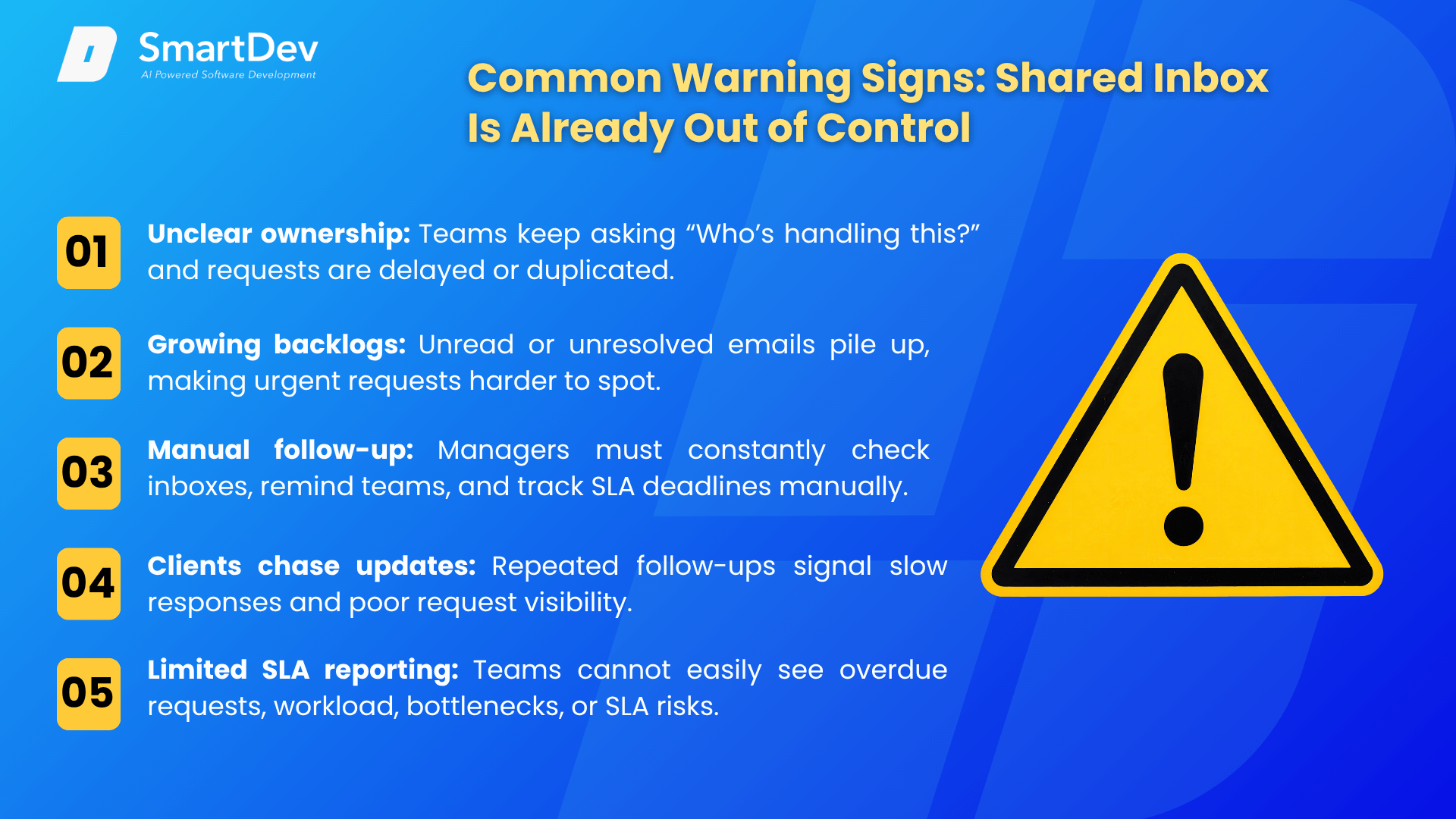
- Team Members Frequently Ask, “Who’s Handling This?”
One of the clearest indicators of inbox overload is constant uncertainty around ownership. When employees regularly ask who is responsible for a request, it suggests that there is no reliable system for assigning and tracking work.
In many organizations, incoming emails are visible to multiple team members, but no one has clear responsibility for taking action. As a result, requests may sit untouched because everyone assumes someone else is handling them. In other cases, multiple employees may respond to the same request, creating confusion for both the team and the client.
If employees frequently forward emails, ask colleagues for updates, search through message threads, or spend time determining who should respond, your team may lack a structured request ownership workflow. Over time, this uncertainty creates delays, increases the risk of missed requests, and reduces overall productivity.
- Growing Backlogs of Unread or Unresolved Emails
A healthy inbox should have a predictable flow of incoming and completed requests. While occasional spikes in volume are normal, a consistently growing backlog is often a sign that the team is struggling to keep up with demand.
Unread emails piling up day after day indicate that requests are entering the system faster than they are being processed. Similarly, unresolved conversations that remain open for extended periods may suggest that requests are getting lost, deprioritized, or delayed due to inefficient processes.
Backlogs can also make it difficult for employees to identify urgent requests among hundreds of messages. As the inbox becomes more crowded, important communications become harder to find, increasing the likelihood of missed deadlines and dissatisfied clients. These issues often point to weaknesses in your workload management process and may indicate that existing workflows are no longer scalable.
- Critical Requests Require Manual Follow-Up
Another warning sign is when managers or team leaders must constantly monitor inbox activity to ensure work is progressing. In a well-managed service environment, requests should move through established workflows with minimal supervision.
However, when managers find themselves manually checking inboxes, reminding employees about pending tasks, tracking deadlines in spreadsheets, or personally verifying SLA compliance, the process becomes heavily dependent on human oversight. This creates additional administrative work and increases the risk of errors.
Manual follow-up may temporarily prevent issues from escalating, but it is not a sustainable solution as service volumes grow. The more time managers spend chasing updates, the less time they have available for strategic planning, coaching, and process improvement. This often signals a lack of effective service workflow automation and highlights the need for better visibility and accountability mechanisms.
- Clients Frequently Chase Updates
Repeated follow-up emails from clients are often one of the earliest signs that service delivery processes are under strain. Messages such as “Just checking on this,” “Can you provide an update?” or “Has there been any progress?” indicate that clients do not feel confident about the status of their requests.
When clients are forced to initiate follow-up conversations, it usually means communication is inconsistent or response times are longer than expected. Even if the underlying work is progressing, a lack of visibility can create frustration and uncertainty.
These additional interactions also place further pressure on service teams. Employees must spend time responding to status inquiries instead of focusing on resolving requests. As follow-up emails accumulate, inbox volume increases even further, creating a cycle that becomes increasingly difficult to manage. Over time, these issues can negatively impact client experience management, client satisfaction, and overall trust in your organization.
- Limited Reporting and SLA Visibility
Many organizations rely on shared inboxes without having access to meaningful performance data. While emails may be stored and searchable, managers often struggle to answer basic operational questions.
For example, can you quickly determine how many requests are currently overdue? Can you identify which clients are approaching SLA deadlines? Do you know which team members are carrying the highest workloads or where bottlenecks are occurring?
Without clear reporting, managers are forced to make decisions based on assumptions rather than real-time information. Problems often remain hidden until clients complain or deadlines are missed. Limited visibility also makes it difficult to identify trends, allocate resources effectively, or improve service processes over time.
If your organization cannot easily answer these types of questions, you may lack the visibility needed for effective SLA monitoring and reporting, making it harder to maintain consistent service performance.
The Real Cost of Inbox Overload
The impact of inbox overload extends far beyond missed emails. While overlooked messages are certainly a concern, the broader consequences can affect productivity, client relationships, employee morale, and long-term business growth.
- Lower Productivity
Inbox overload creates operational inefficiencies. Employees spend valuable time sorting emails, forwarding requests, searching for information, reviewing long threads, and coordinating internally to determine ownership. These administrative tasks take time away from client-facing work. As inbox complexity increases, employees also face more interruptions, making it harder to focus on high-priority tasks. The result is lower team efficiency: work takes longer, response times increase, and employees become frustrated by repetitive admin work. This can significantly affect overall operational efficiency.
- Poorer Client Experience
Clients expect timely responses, clear updates, and confidence that their requests are being handled. When inbox overload causes delays or inconsistent communication, the client experience quickly suffers. Even if requests are eventually resolved, clients may remember the frustration of waiting, repeating information, or following up multiple times. This can make the organization appear disorganized or unresponsive.
Over time, repeated service issues weaken trust and damage long-term relationships. In competitive industries, poor service experiences can directly affect customer retention, client satisfaction, and business growth.
- Increased SLA Risk
As response and resolution times become harder to manage, SLA compliance becomes more difficult to maintain. Requests may remain unnoticed, ownership may be unclear, or urgent issues may not receive attention fast enough. Each of these issues increases the likelihood of missed deadlines and SLA breaches. For organizations operating under contractual service agreements, the consequences can be serious.
Poor SLA management may lead to financial penalties, client escalations, reputational damage, and lost renewal opportunities. As request volume grows, the risk only increases without proper systems and workflows.
- Reduced Business Growth
As client volume increases, inbox overload becomes a barrier to scalability. What worked for a small number of requests often becomes unsustainable as demand grows. Without structured workflows, more clients create more emails, more complexity, and more administrative work. Teams may struggle to maintain service quality, forcing organizations to add headcount just to keep up.
Instead of supporting growth, the inbox becomes a bottleneck that limits service capacity and operational flexibility. This slows down business process optimization and prevents the organization from reaching its full growth potential.
Ultimately, inbox overload is not just an email management problem. It is a service delivery challenge that can affect productivity, client relationships, SLA performance, and business growth.
How AI-Powered Shared Inbox Management Solves the Problem
Traditional shared inboxes were designed to centralize communication, not manage complex service operations. AI-powered shared inbox management addresses this challenge by transforming incoming emails into structured, trackable workflows.
Rather than relying on employees to manually sort, prioritize, assign, and monitor requests, AI helps automate many of these tasks while providing real-time visibility into service performance.
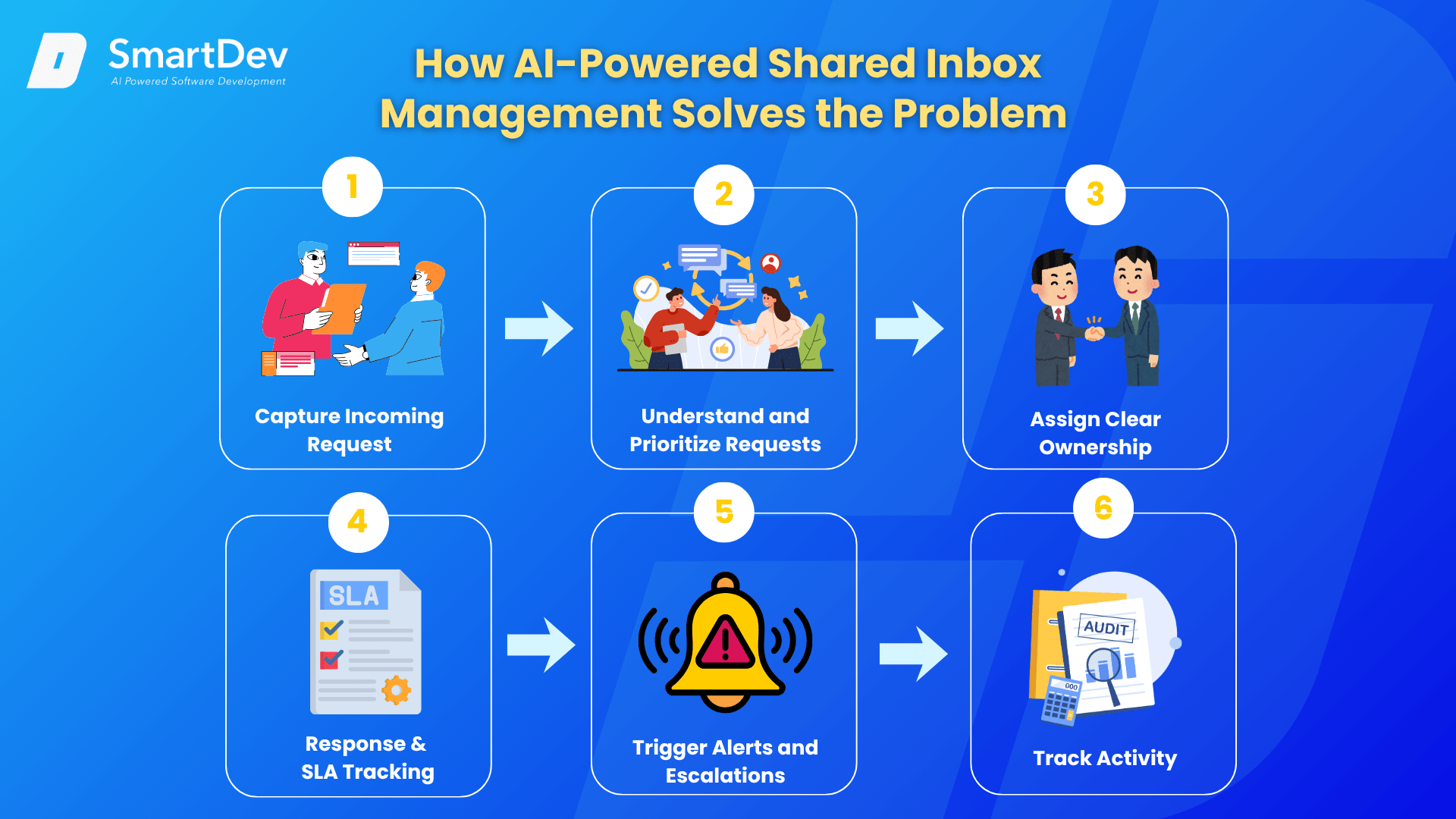
- Step 1: Capture Every Incoming Request
AI-powered systems capture and record every client request automatically. Instead of asking employees to monitor incoming emails manually, these systems centralize requests from shared inboxes and create a complete record of each interaction. This gives teams a stronger foundation for client request management and reduces the risk of overlooked communications.
- Step 2: Understand and Prioritize Requests
AI analyzes email content to identify request type, urgency, client account, and business impact. Rather than treating every message equally, the system highlights high-priority issues and routes them to the appropriate queue. This improves email triage automation and helps teams focus on the requests that matter most.
- Step 3: Assign Clear Ownership
After AI categorizes a request, the system assigns it to the right employee, department, or specialist based on predefined rules. This removes confusion around responsibility and creates a clear request ownership and accountability process. Team members know exactly which requests they need to handle.
- Step 4: Monitor Response Times and SLA Risk
AI-powered tools continuously track important service metrics such as first response time, resolution time, and approaching deadlines. Managers gain real-time visibility into SLA performance metrics, so they can identify bottlenecks before they turn into service failures.
- Step 5: Trigger Alerts and Escalations
When deadlines are approaching or requests become overdue, automated notifications can alert both employees and managers. Instead of discovering problems after an SLA has already been missed, organizations can implement proactive escalation management workflows that help teams take action before risks become critical.
- Step 6: Create a Complete Activity Trail
Every action taken on a request – from assignment and replies to status changes and escalations – is automatically recorded. This creates a transparent audit trail for service operations, allowing managers to understand what happened, identify process gaps, and continuously improve service delivery performance.
By combining automation, visibility, and accountability, AI-powered shared inbox management enables professional services firms to handle higher volumes of requests while maintaining strong SLA performance and a consistent client experience.
The Metrics Every Shared Inbox Tool Should Track
Implementing a shared inbox solution is only part of the equation. To improve service delivery and maintain SLA performance, organizations need visibility into the metrics that drive operational success. The right shared inbox platform should provide real-time reporting across SLA, operational, and client experience metrics.
- SLA Performance Metrics
SLA-related metrics help organizations that manage client requests, support inquiries, or internal service operations measure performance. These metrics show whether teams meet contractual commitments, maintain service quality, and respond to requests within agreed timelines.
Without clear SLA reporting, managers often discover service issues only after teams miss deadlines. By monitoring SLA metrics continuously, organizations can identify risks early, allocate resources more effectively, and prevent breaches before they occur.
SLA Compliance Rate
One of the most important metrics to track is SLA compliance rate – the percentage of requests that teams respond to and resolve within agreed service targets.
A high compliance rate shows that teams consistently meet service expectations, while a declining rate often signals deeper issues such as unclear ownership, inefficient workflows, staffing shortages, or excessive request volume. By monitoring this metric over time, managers can identify trends and take corrective action before service quality declines.
- First Response Time
First response time measures how quickly a team acknowledges or responds to a new request after it enters the shared inbox.
This metric is often one of the most visible indicators of service quality because clients typically expect prompt acknowledgment, even if the issue cannot be resolved immediately. Long response times can negatively affect customer satisfaction and increase the likelihood of escalations.
- Average Resolution Time
Average resolution time tracks how long it takes to fully resolve a request from the moment it is received. This metric helps organizations evaluate overall service efficiency and identify process bottlenecks. If resolution times begin increasing, it may indicate workload imbalances, inefficient workflows, or requests being routed to the wrong teams.
- Overdue Request Rate
The overdue request rate measures the percentage of requests that exceed their SLA deadlines. This metric provides an early warning sign of operational challenges and helps managers understand whether service commitments are at risk. Tracking overdue requests by team, request type, or priority level can reveal recurring problem areas that require attention.
- Escalation Rate
Escalation rate measures how frequently requests require intervention beyond the assigned team or service level. A rising escalation rate may indicate insufficient staffing, unclear processes, inadequate training, or unrealistic SLA targets. Monitoring escalations helps organizations improve service delivery and reduce disruptions to client relationships.
- SLA Risk and Breach Monitoring
Tracking completed work is important, but preventing SLA failures before they occur is even more valuable. This is why modern shared inbox platforms should provide proactive SLA risk monitoring rather than simply reporting past performance.
Teams need real-time visibility into requests that are approaching deadlines, requests at risk of breaching SLA targets, upcoming response and resolution deadlines, and any active SLA breaches. This allows managers and employees to identify issues early and prioritize urgent work before service commitments are missed.
By providing continuous SLA monitoring and reporting, organizations can move from reactive firefighting to proactive service management, reducing the likelihood of missed deadlines and client escalations.
- Operational Metrics
While SLA metrics focus on service commitments, operational metrics help organizations understand how efficiently their teams are managing incoming requests.
Common examples include open vs. closed requests, inbox backlog volume, workload distribution, and average handling time. Together, these metrics provide valuable insight into team productivity, capacity, and workload balance.
For example, a growing backlog may indicate that request volume is exceeding available resources, while uneven workload distribution can reveal staffing or process issues. Monitoring these metrics helps managers identify bottlenecks, allocate resources more effectively, and improve overall service delivery efficiency and workflow optimization.
- Client Experience Metrics
Ultimately, the success of any service operation is measured by the experience it delivers to clients. While operational and SLA metrics show how teams perform internally, client experience metrics reveal how that performance is perceived externally.
- Client Satisfaction Indicators
Useful client experience metrics include Customer Satisfaction Score (CSAT), Net Promoter Score (NPS), client retention rate, and complaint and escalation trends.
These indicators help organizations understand whether clients feel supported, informed, and satisfied throughout the service process. Rising complaint volumes or declining satisfaction scores often highlight issues that may not be immediately visible through operational reporting alone.
When combined with SLA and operational metrics, these indicators provide a more complete view of customer experience management and long-term service performance. By tracking the right mix of SLA, operational, and client experience metrics, organizations can move beyond reactive inbox management and make data-driven decisions that improve efficiency, strengthen SLA compliance, and deliver a consistently better client experience.
Traditional shared inbox vs AI-Powered shared inbox
Traditional shared inboxes centralize communication. They allow multiple employees to access the same email account, so teams can see client requests instead of relying on one individual.
This approach works reasonably well at low volumes, but growing organizations quickly outgrow it. More emails, clients, and service requests create greater complexity, making manual inbox management inefficient and difficult to scale.
AI-powered shared inbox platforms address these challenges by transforming email from a communication channel into a structured service delivery workflow. Instead of relying on employees to manually sort, prioritize, assign, and monitor requests, AI automates many of these tasks while providing greater visibility and accountability.
| Criteria | Traditional Shared Inbox | NORA AI-Powered Shared Inbox |
| Request Management | Manual sorting and tracking of emails | Automatically categorizes and organizes requests |
| Prioritization | Teams manually identify urgent requests | AI highlights and prioritizes critical requests |
| Assignment | Requests are manually forwarded or claimed | Automatically routes requests to the right person or team |
| SLA Monitoring | Deadlines are tracked manually | Real-time SLA tracking with proactive alerts |
| Visibility | Limited insight into workload and performance | Centralized dashboards and complete workflow visibility |
| Accountability | Ownership can be unclear | Clear ownership and activity tracking for every request |
The difference becomes especially noticeable in high-volume service environments. In a traditional shared inbox, employees spend significant time reviewing emails, forwarding requests, checking status updates, and coordinating internally. As request volumes increase, these manual processes create delays, reduce productivity, and increase the risk of SLA breaches.
With NORA, requests are automatically categorized, prioritized, assigned, and monitored throughout their lifecycle. Teams spend less time managing emails and more time resolving client issues, while managers gain real-time visibility into performance and service levels.
The result is faster response times, stronger SLA compliance, improved workflow automation, and a more consistent client experience. Rather than becoming a bottleneck, the inbox becomes a scalable service management platform that supports growth while maintaining service quality.
Conclusion
Shared inbox overload is not just an email problem – it’s a service delivery challenge. As request volumes grow, manual inbox management creates visibility gaps, unclear ownership, delayed responses, and increased SLA risk.
AI-powered shared inbox management helps organizations scale by combining intelligent request routing, SLA monitoring and reporting, workflow automation, and greater operational visibility. The result is faster response times, improved service delivery efficiency, stronger customer experience management, and more consistent SLA performance.
If your team spends more time managing emails than serving clients, it may be time to rethink how your shared inbox operates. Discover how SmartDev’s AI-powered solutions can help streamline service delivery, improve SLA performance, and transform shared inbox management – so your team can focus on what matters most: delivering exceptional client service.